Bounce
all your stems.
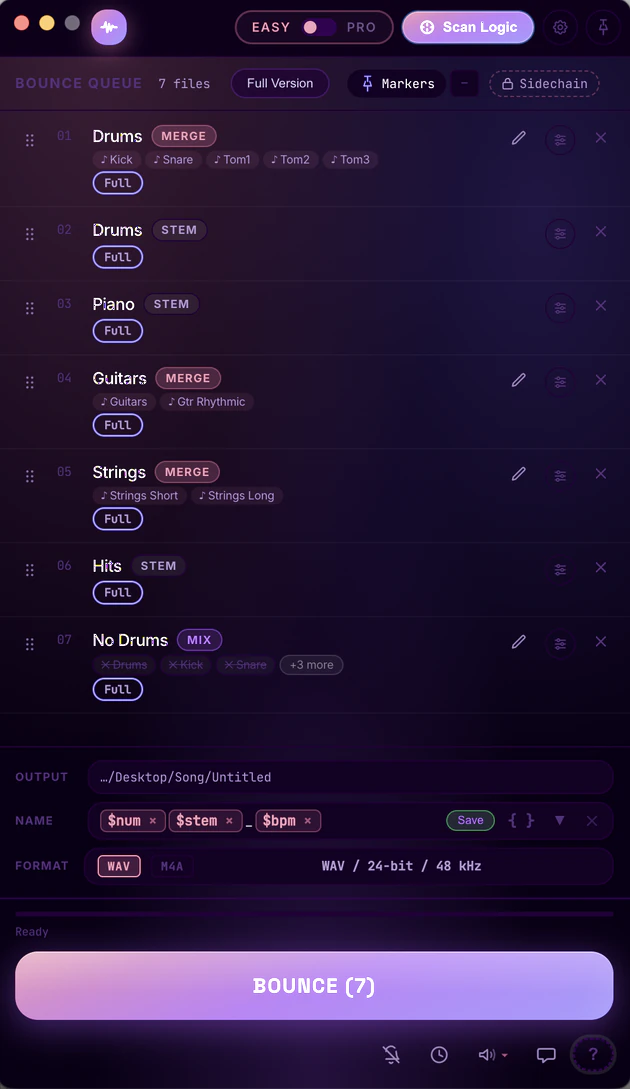
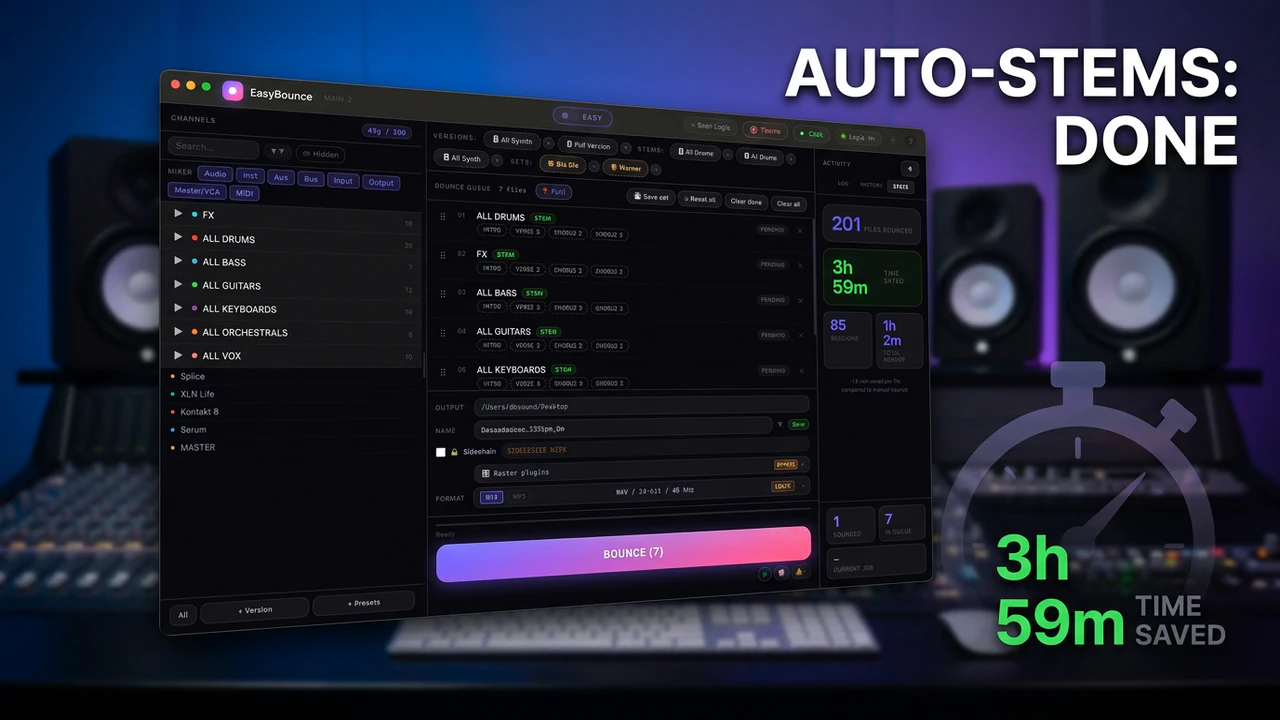
EasyBounce automatically renders every channel from your Logic Pro project. Hit one button. Walk away. Come back to a perfectly labeled folder of stems.
Watch it in action.
Quick stem bounce overview. More videos on our YouTube channel.
Everything thought through.
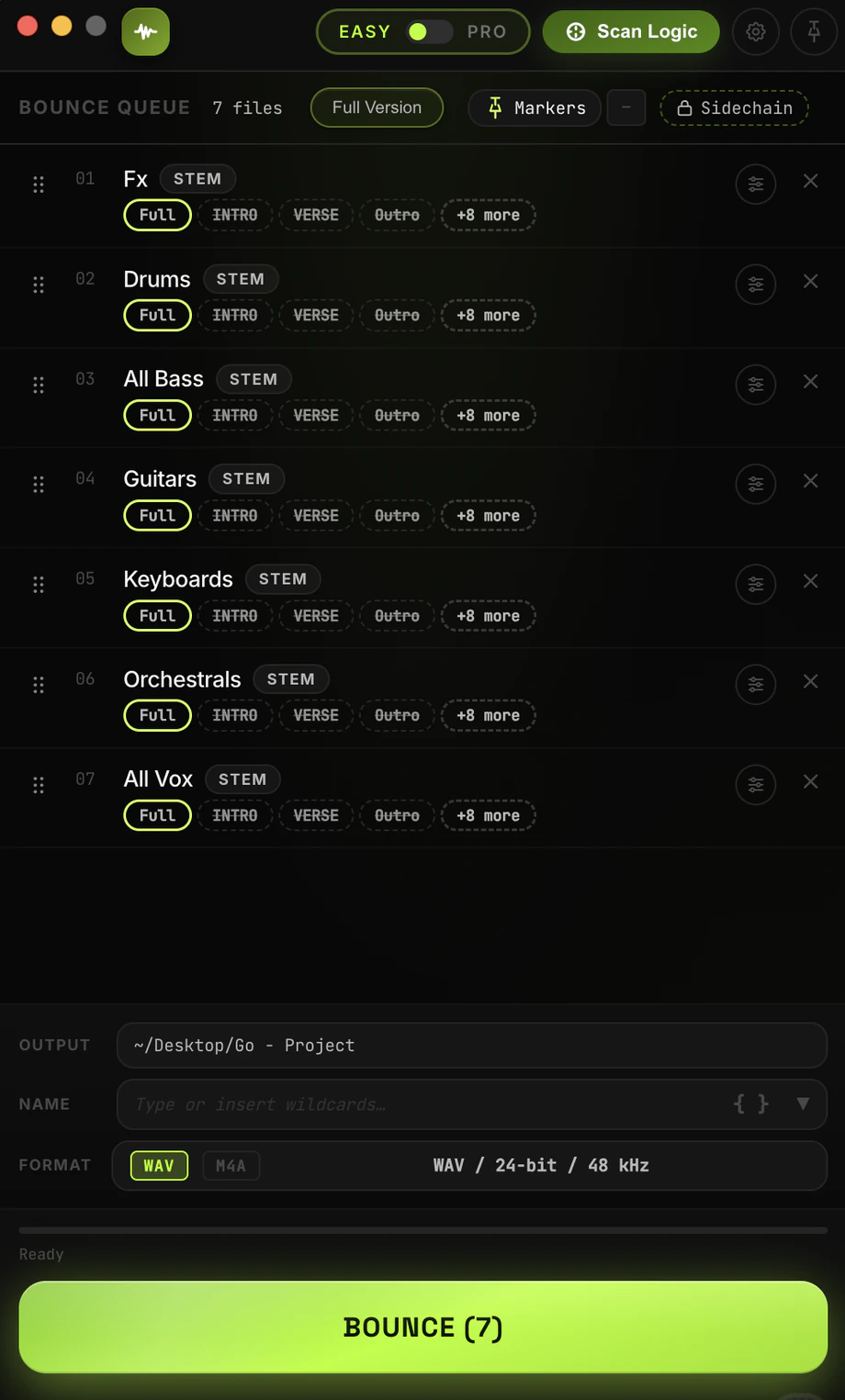
Queue everything, bounce once
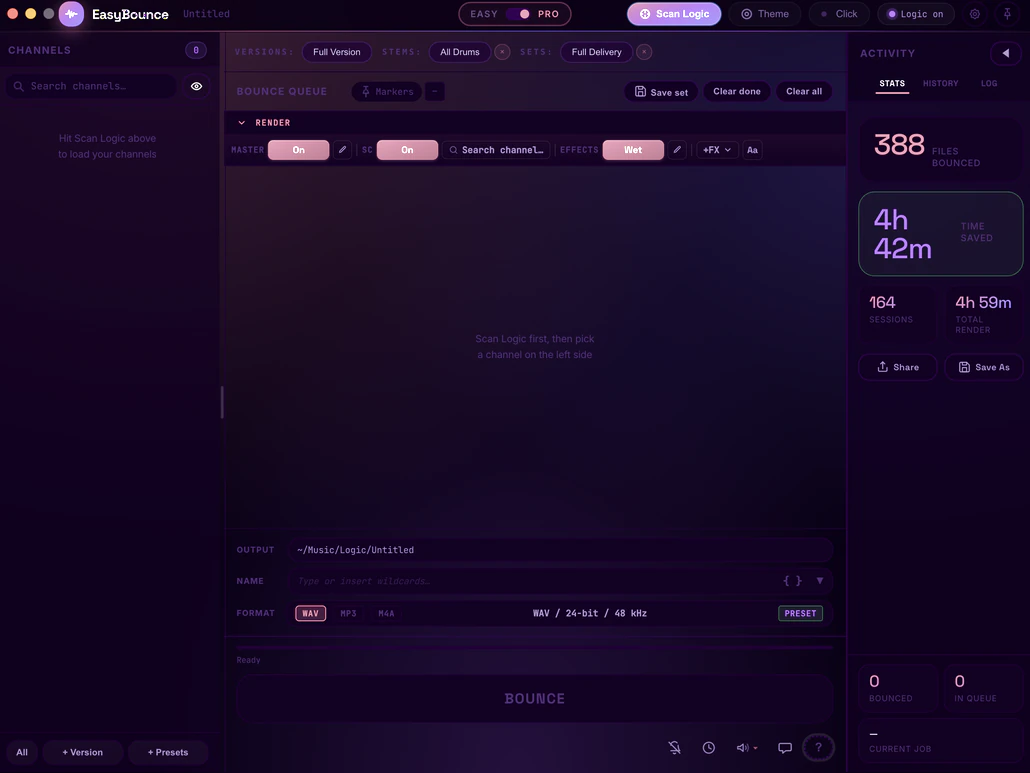
One scan reads your whole Logic mixer. Drop tracks into the queue as individual stems, muted version mixes, or merged groups - then bounce the entire list in a single pass.
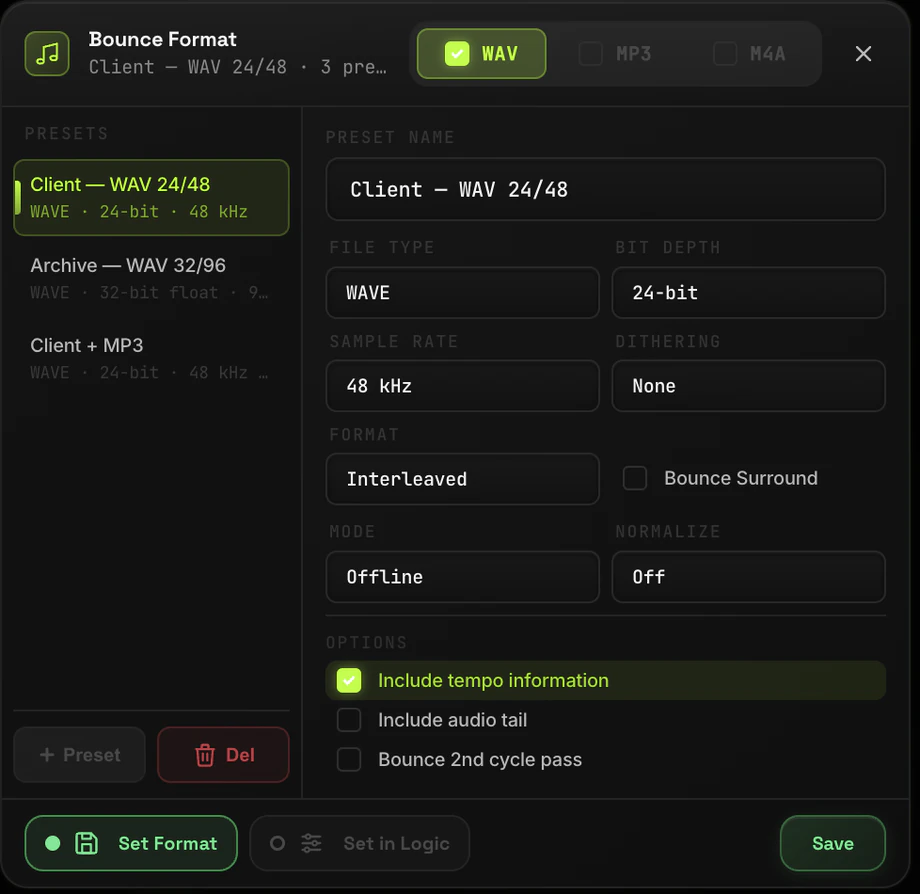
Format presets, set once
Save reusable export presets - file type, bit depth, sample rate, dithering and more - then apply them to every bounce. WAV, MP3 or M4A.
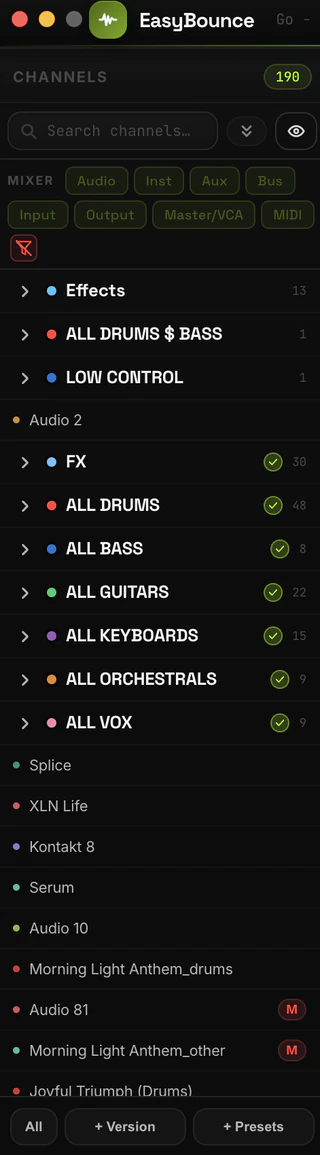
Your whole mixer, one panel
Every channel from your Logic mixer in a single searchable list - color-coded, grouped by your folder stacks, with live track counts. Filter by type and pick exactly what bounces.
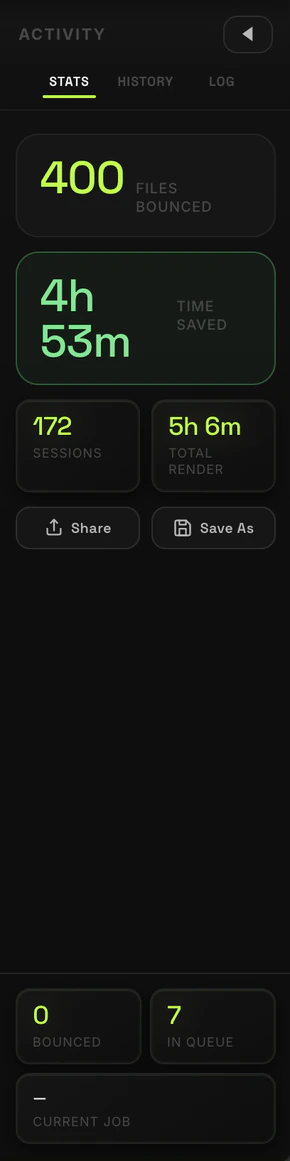
See the time you save
EasyBounce tracks every session - files bounced, render time, and the hours it saved you clicking. Browse the full history and logs, or share the numbers.
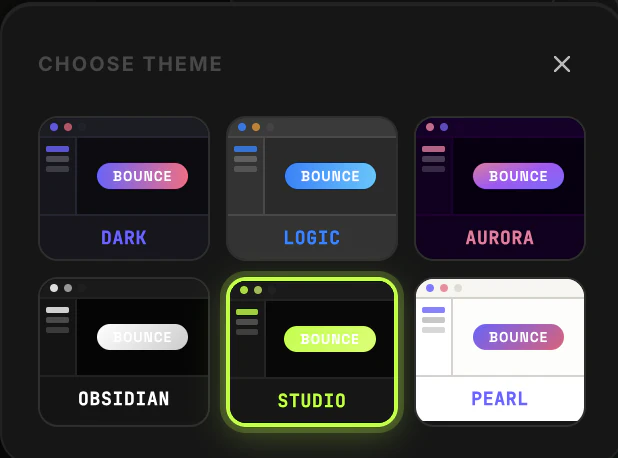
Make it yours
Six built-in themes - from Logic-matched to deep Obsidian or bright Pearl - so EasyBounce looks right next to your setup.
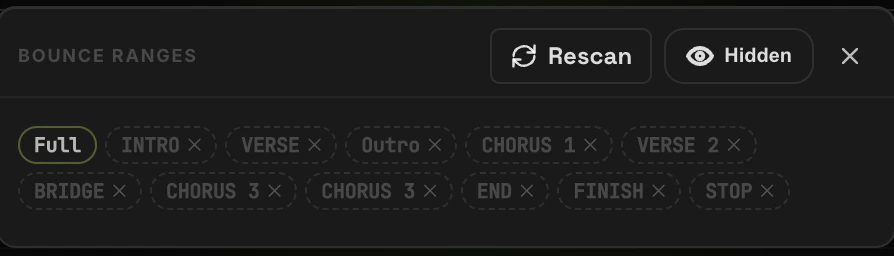
Bounce by song section
EasyBounce reads your arrangement markers, so you can bounce the full track or any range - intro, verse, chorus - per stem, without touching the playhead.
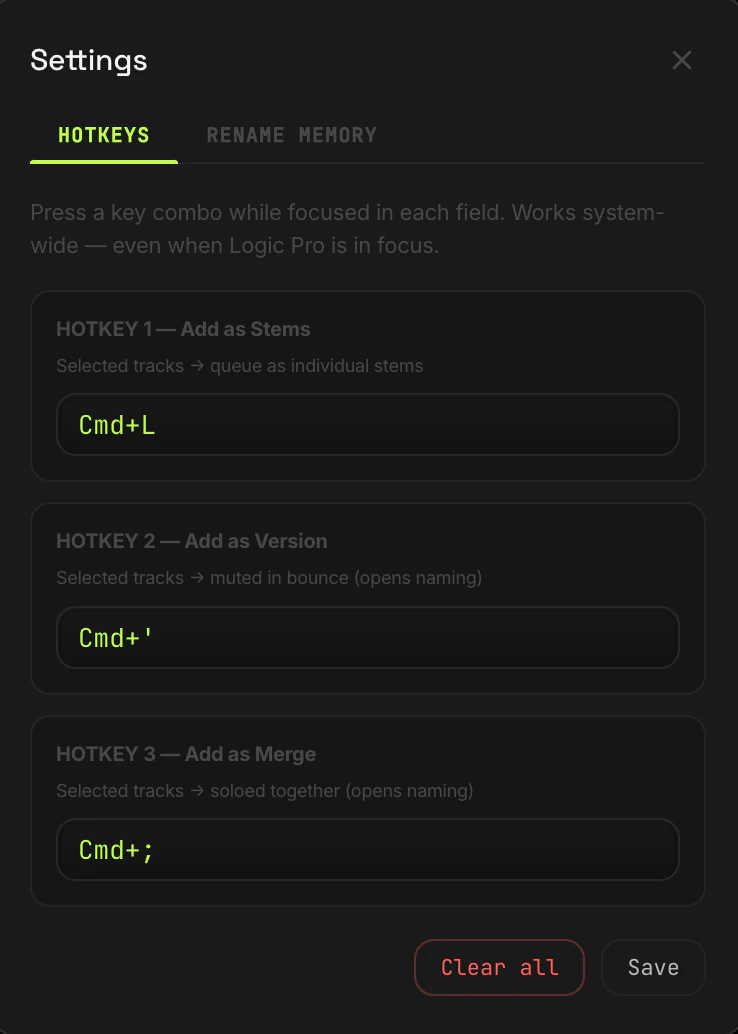
Three global hotkeys
System-wide shortcuts that fire even while Logic Pro is in focus. Send the selected tracks straight to the queue without ever switching windows.
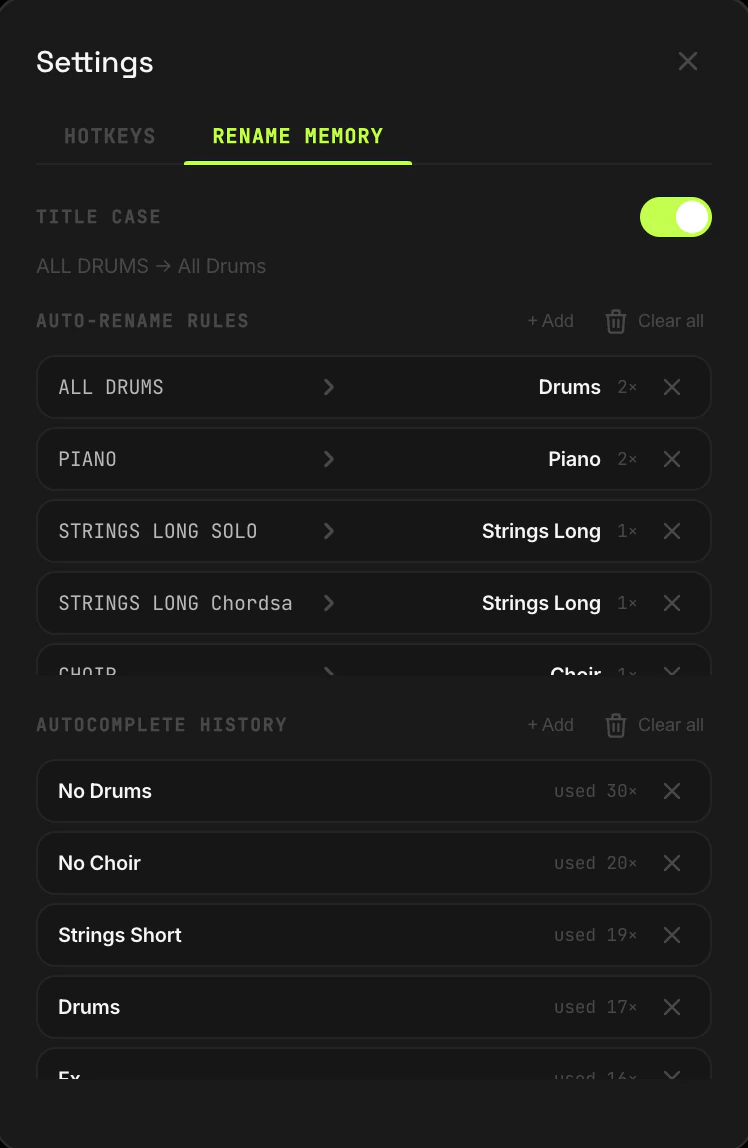
Naming that remembers
Auto-rename rules and an autocomplete history keep your stem names clean and consistent across every session - with optional Title Case.
Your time. Your choice.
Try it free. Rent it monthly. Own it forever.
Real results. Real producers.
"Bouncing is just off my plate now. I toss my tracks in the queue, hit start, and EasyBounce handles the rest. Honestly couldn't be happier with it."
"Finally I can send stems to labels without wasting studio time. Set it up, hit bounce, go make coffee."
"It's wild how much time I save just from the notifications. The second a bounce is done I know about it - I never sit there waiting."
Questions?
Stop clicking.
Start making.
Every hour you spend manually bouncing stems is an hour not spent making music.
7-day free trial · No credit card · macOS only · One-time €99
Privacy Policy
Last updated: August 17, 2026
EasyBounce ("we", "our", "the app") is developed by EasyOneAudio.
Contact: support@easyoneaudio.com
1. What Data We Collect
License Activation
When you activate a trial or enter a license key, we collect:
- A hashed identifier of your Mac (derived from your device serial number)
- Your license key
- Activation date and license status
This data is stored securely on our servers (Supabase) and is used only to validate your license and prevent unauthorized use.
Notifications (Optional)
If you choose to enable bounce completion notifications, we store your email address and/or your Telegram chat ID. This is entirely optional and you can delete it at any time from within the app.
Feedback & Support
If you submit feedback or a bug report through the app, we receive the content of your message and your email (if you choose to include it). We use this only to respond to your request.
Website, Email & Advertising
When you request a trial download on this website, we store your email address so that we can send you the download link and occasional emails about the product. Every email has an unsubscribe link.
This website - not the app - uses Google Analytics 4 and the Meta Pixel, including Meta's Conversions API, to measure traffic and how our advertising performs. They load by default and are switched off if you press "Decline" in the cookie banner at the bottom of the page.
We may share your email address with advertising partners - currently Meta (Facebook, Instagram, Threads) - so that we can measure our ads, show ads to people similar to our customers, or stop showing ads to you if you already bought. Your email address is irreversibly hashed (SHA-256) before it is sent; the partner receives the hash, never the address itself, and cannot read it or recover it. We never upload your address in readable form and we never sell it.
To opt out of this, email support@easyoneaudio.com and we will remove you from all advertising audiences within 7 days.
2. What We Do Not Collect
- The app does NOT collect analytics or usage statistics (see "Website, Email & Advertising" above for what this website does)
- We do NOT track which tracks you bounce or any project data
- We do NOT run background telemetry or crash reporting
- We do NOT sell your data to third parties
3. Third-Party Services
- Supabase - license validation and optional notification settings storage
- Stripe - payment processing. We do not store your payment details
- Telegram - optional bounce notifications
- Resend - optional email notifications
- GitHub - app update checks
- Meta (Facebook, Instagram, Threads) - website advertising and measurement; receives hashed email addresses as described above
- Google Analytics 4 - website traffic measurement. It does not receive your email address
4. Data Storage & Security
Your data is stored on Supabase servers with encryption at rest. Your Mac identifier is stored as a one-way hash - it cannot be reversed to identify your device by anyone, including us.
5. Your Rights
You can request deletion of your data at any time by emailing support@easyoneaudio.com. We will delete all data associated with your license within 7 days.
6. Changes to This Policy
We may update this policy. Changes will be posted on this page with an updated date.
Questions? Contact us at support@easyoneaudio.com
Terms of Service
Last updated: April 15, 2026
Please read these terms before using EasyBounce. By downloading or using the app, you agree to these terms.
1. The Product
EasyBounce is a macOS application that automates stem bouncing in Logic Pro. It is developed and sold by EasyOneAudio.
Contact: support@easyoneaudio.com
2. License
When you purchase EasyBounce, you receive a personal license to use the software on your Mac.
You MAY:
- Use the app on your personal Mac(s) as permitted by your license tier
- Make a backup copy for personal use
You MAY NOT:
- Share, resell, or distribute your license key
- Reverse engineer, decompile, or modify the software
- Use the app for illegal purposes
3. Trial
EasyBounce offers a 7-day free trial. The trial is activated once per machine and cannot be reset. After the trial ends, a license is required to continue using the app.
4. Payments & Refunds
Payments are processed securely via Stripe. Under EU consumer law you have a 14-day right of withdrawal from the date of purchase: if you change your mind within 14 days, email us and we'll issue a full refund. After this 14-day period, no refunds will be provided and all sales are final. A 7-day free trial is available so you can fully evaluate EasyBounce before buying.
5. Requirements
- macOS (Intel or Apple Silicon)
- Logic Pro installed
- macOS Accessibility permissions (to automate Logic Pro)
- Internet connection for initial license activation
6. Disclaimer of Warranties
EasyBounce is provided "as is". We do our best to keep it working with Logic Pro updates, but we cannot guarantee uninterrupted operation following third-party software changes. We are not responsible for loss of audio files or project data, Logic Pro crashes, or compatibility issues caused by macOS or Logic Pro updates. Always keep backups of your projects before using automation tools.
7. Limitation of Liability
Our total liability to you shall not exceed the amount you paid for the license in the 12 months prior to the claim.
8. Changes to These Terms
We may update these terms. Continued use of the app after changes are posted means you accept the updated terms.
9. Governing Law
These terms are governed by applicable law. Any disputes shall be resolved through good-faith negotiation first.
Questions? Contact us at support@easyoneaudio.com